







 LOG-IN
  Important Links/Sites
Zen Lyfe (Lifestyle & Banking ) App – Making Life Simpler
Experience Next-Generation Banking
Welcome to Zen Lyfe, the cutting-edge mobile banking app from Bank of Maharashtra, crafted to redefine how you experience digital finance. Zen Lyfe empowers you with a seamless, secure, and versatile platform that brings your entire banking universe to your fingertips.
Key Services in Zen Lyfe
- Personal Finance Management
Track spending, set savings goals, and get intelligent insights for financial wellness. - Unified Account Overview
All your accounts and transactions consolidated for clear, real-time management. - Instant Account Opening
Open savings accounts instantly through remote onboarding and e-KYC verification. - Payments & Transfers
Move money via UPI, NEFT, RTGS, IMPS, and unified recurring payments, all under one roof. - Marketplace Services
Book hotels, flights, buses, buy gift coupons, make donations, consult doctors, and more - directly in-app. - Loans & Deposits
Apply for home, personal, auto, and business loans. Manage fixed/recurring deposits with instant booking, closure, and loan against deposit options. - Debit and Credit Card Controls
Lock/unlock cards, set PINs, customize limits, and manage virtual debit cards effortlessly. - Comprehensive Digital Servicing
View balances, statements, pay bills, recharge services, request certificates, and dispute or block transactions round the clock. - Security & Authentication
Tamper-proof multi-factor authentication, advanced mobile app security, and real-time risk analytics protect every transaction. - Personalized Offers & Insights
AI-driven recommendations, dashboards, and tailored engagement for a truly personal experience.
How to Download Zen Lyfe
Get started in minutes!
| Direct from Stores | Scan to Download |
|---|---|
Zen Lyfe App Registration Process
| Click to download iOS and Android   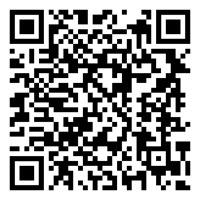 [QR for Zen Lyfe Android]  [QR for Zen Lyfe iOS] |
Benefits of Using Zen Lyfe
Unified Experience: Move seamlessly between mobile and web with consistent workflows and shared data.
Security and Privacy: Enjoy 100+ app security features and continuous risk analytics.
Convenience: Access accounts, make payments, book services, and apply for loans anytime, anywhere.
Personalization: Receive insights, offers, and dashboard views tailored just for you.
24/7 Access: All major banking services available instantly, with alerts.
Zen Lyfe - Bank of Maharashtra - Checksum Value
Android(V4.0.14)
Package Name: com.bom.lifestyebanking
Checksum/Hash(SHA256)-
35b02809201d81ba8e20ba9a27bdb45f9ef9998a3aa30f45d7203fd49ea550ec
iOS(v4.0.14)
Package Name: com.bom.lifestyebanking
Checksum/Hash(SHA256):
067ad20c14b9256e009692530bb0a9a22e24b8b417cd552dc1c0fe62885a5c66
Frequently Asked Questions
- Q: Who can use Zen Lyfe?
Anyone with a Bank of Maharashtra account (savings or current) can register and use Zen Lyfe. - Q: How do I activate mobile banking?
Installation: Search for and download the "Zen Lyfe" application from the official Apple App Store or Google Playstore.
Launch: Open the installed application.
User Verification: Initiate the registration process by providing your Customer ID or Account Number
Device Binding: Complete the mandatory device binding procedure using the registered mobile number.
MFA Validation: Validate your identity by choosing and completing one of the following methods:
- Debit Card: Enter your Debit Card and ATM PIN.
- Aadhaar: Provide your Aadhaar details and OTP received from UIDAI.
- Branch Token: Use a token provided by your bank branch.
- Internet Banking: provide your active Internet Banking password.
MPIN and TPIN Creation and Access Rights: Upon successful validation, create your secure MPIN (for login) and TPIN (for transactions). You will also set your specific access rights within the app.
- Q: What payment methods are supported?
UPI, NEFT, RTGS, IMPS, bill payments, and card transactions are supported in-app. - Q: Is my data safe?
Zen Lyfe uses advanced encryption, mobile app security (RASP), and multi-factor authentication for every transaction. - Q: Can I apply for loans or book travel?
Yes! Instantly apply for a variety of loans or use lifestyle services to book travel, consult doctors, or send gifts directly within the app.
Secure Usage Guidelines
For your security, please follow these safe banking practices:
- Download and update the Zen Lyfe Mobile Banking App only from official app stores.
- Never share your OTP, MPIN, UPI PIN, Debit/Credit Card PIN, CVV, or account credentials with anyone.
- Bank of Maharashtra, RBI, or any government agency will never ask for your confidential banking information over phone, SMS, email, WhatsApp, or social media.
- Do not click on suspicious links received through SMS, email, WhatsApp, social media.
- Never install screen-sharing or remote-access applications at the request of unknown callers or support personnel.
- Avoid third-party apps from unknown sources or apps that request excessive permissions.
- Do not scan QR codes received from unknown persons.
- Use a strong MPIN and change it periodically. Avoid using easily guessable information such as date of birth or mobile number.
- Enable device lock, fingerprint, face authentication, and keep your operating system and apps updated to the latest version to protect against vulnerabilities.
- Avoid conducting financial transactions over public or unsecured Wi-Fi networks.
- Always verify beneficiary details before initiating fund transfers.
- Regularly review your account statements and transaction history for unauthorized activity.
- Keep your registered mobile number and email ID updated to receive transaction alerts.
- Do not share personal information such as Aadhaar Number, PAN, account details, or registered mobile number on social media or unverified platforms.
- Always log out after completing transactions and close the application when not in use.
- Immediately report any unauthorized transaction, suspected fraud, loss of a mobile phone, or compromise of credentials to the nearest Bank of Maharashtra branch or contact the Bank’s customer care numbers: 1800 233 4526 / 1800 102 2636.
Take control of your finances and lifestyle with Zen Lyfe by Bank of Maharashtra - download now for a smarter, safer, and more rewarding banking journey.



 Public Information
  Gallery
  Social Activity
  Assets for Sale
  Tenders
  ..
..