








 LOG-IN
  Important Links/Sites
Central Bank Digital Currency (CBDC)
Central Bank digital currency (CBDC), “Digital Rupee”, “eRupee” or “e₹” is a digital form of currency notes issued by central bank. It is held in a CBDC wallet that is issued by the banks. The wallet can be linked to your Bank of Maharashtra account for loading e₹ (eRupee). It is not different from banknotes but being digital, it is likely to be easier, faster & cheaper. It has all the transactional benefits of other forms of digital money.
Bank of Maharashtra is also a part of this initiative and has launched the Central Bank Digital Currency-Retail (CBDC-R) mobile application for its customers. Through this app, the users can transact with e-R through a digital wallet. The transactions can be both Person to Person (P2P) and Person to Merchant (P2M) (using QR codes displayed at selected merchant locations).
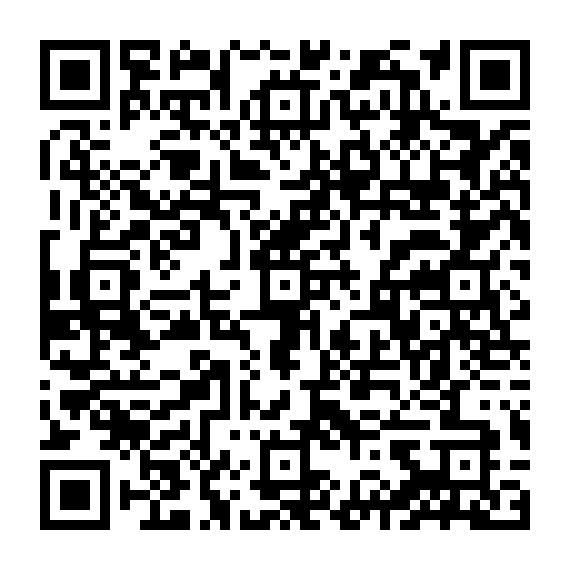
How to Download ‘eRupee by Bank of Maharashtra’
Ready to get started?
Scan the QR code below to download and start using the app.
| Android users | iOS users |
|---|---|
 |  |
Click here for Frequently Asked Questions (FAQ)
1. How does e₹ work?
e₹ will work in the same way as bank notes and coins – if you possess them, you can use them in lieu of cash. You may store e₹ in your bank’s e₹ app. The digital wallet works in the same way as your cash wallet, except these transactions will be entirely paperless. You can either conduct e₹ transactions anonymously, simply by obtaining the sender/receiver’s phone number or QR code, or you can opt for account-based e₹ transactions.
2. How is e₹ different from UPI or other fund transfer modes?
UPI/NEFT/RTGS/IMPS are all forms of digital payments. e₹ is a digital form of currency and is a legal tender provided by RBI that is similar to physical cash, but in a digital form.
3. Is e₹ the same as cryptocurrencies such as bitcoin?
e₹ is an RBI digital currency. It is like cash in a digital form which has a value as per the denomination of the currency. On the other hand, cryptocurrencies like bitcoins are public currencies (not backed by RBI).
4. Is e₹ accepted across all merchants?
e₹ is currently in a pilot phase of launch across selected merchants and customers.
5. How do I register myself on the e₹ app for Bank of Maharashtra?
- Download the e₹ app “eRupee by Bank of Maharashtra” on your smartphone from App Store / Play Store. Your phone should have either pattern or Biometric or face id locking capability.
- Select your preferred SIM to be used for registration purposes.
- In case of multiple SIMs: SIM slot 1 should be selected.
- The SIM slot 1 should have the SIM of the mobile number registered with the bank and linked to the customer account.
- Choose your preferred method of logging into the app, from three different methods available – PIN, Biometric login, or pattern.
- Post this, the app will prompt you to set a 6-digit wallet pin. Set the 6-digit PIN for your e₹ wallet to authenticate transactions.
- You will see a list comprising all the Bank of Maharashtra accounts linked to your mobile number, from which you can select one account to link to the e₹ wallet.
- The app will prompt you to enter the last 6 digits of your Debit Card along with the expiry date of the card associated with the bank account that you have selected.
- The bank will authenticate the details provided and link your selected account to e₹ wallet and complete the registration process.
- Add money in your e₹ wallet app basis your selection of denominations and the count of tokens you want.
- After receiving the tokens, you can start using the digital currency for performing transactions with either users or merchants who will be accepting the digital currency.
6. What is a e₹ wallet?
The eRupee by Bank of Maharashtra Application can be used by customers to load, store and transact using digital rupee tokens in a safe and secure way digitally.
7. How can I add e₹ to my e₹ wallet?
The process to load e₹ token is as follows:
- You should have the app installed and should have onboarded as per the above process, if not you will need to complete the registration journey mentioned above first.
- You will open the eRupee by Bank of Maharashtra Application on your device.
- On the app's landing page, you will see the Load option.
- You will input the amount/denomination of currency you want to load. Alternately, you can select the notes and coin denominations for the value. (The selection is via, swiping up/down; swiping up increases the quantity by 1 and swiping down decreases by 1).
- Select Wallet Load option through linked Bank of Maharashtra account.
- Bank will provide the same equivalent to the value of the load. (In case the bank does not have the denominations or quantity requested, the bank will provide other denominations as per availability with the bank).
8. Do I need to provide PAN details for e₹ transactions?
No, customers will not be required to provide PAN details for the RBI digital currency pilot programme.
9. How do I send payments using the e₹?
For person-to-person transactions -
- You will need to login to the app and on the landing page, you will be able to see the Pay option.
- On selecting Pay, you can select the beneficiary from the address / contact on the phone, alternatively, in case the beneficiary has shared their QR, you can use the same from the gallery. OR you can scan CBDC / UPI QR for initiating transaction.
- After selecting the beneficiary, you need to do the following:
- Enter the amount you want to pay.
- Alternatively, you can select the notes and coins denomination wise for the value. (The selection is via, swiping up/down; swiping up increases the quantity by 1 and swiping down decreases by 1).
- You will then be prompted to enter the e₹ wallet pin.
- Post confirmation, the notes/coins equivalent to the amount will be credited to the beneficiary’s e₹ wallet / UPI linked account. (Note: The beneficiary user can be a digital wallet user of Bank of Maharashtra or any other bank).
- Alternatively, just enter the recipient’s number in the e₹ app, choose the desired amount and hit send. (NOTE: Beneficiary should have registered over CBDC platform)
- You can view your e₹ wallet, that will show the notes/coins count reduced.
- Alternatively, you can also see the same in the transaction history in the app.
For person to merchant transactions -
- Merchants participating the pilot programme will have a e₹ QR displayed at their location. As a customer, you can scan this QR from their e₹ App and complete the transaction.
- You can scan the QR Code and enter below information on pre-populated screen
- Enter the amount you want to load, by entering the same.
- Alternatively, you can select the notes and coins denomination wise for the value. (The selection is via, swiping up/down; swiping up increases the quantity by 1 and swiping down decreases by 1).
- You will then be prompted to enter the wallet pin.
- Post confirmation, the Notes/Coins equivalent to the amount will be credited to the Merchant’s Digital Rupee Wallet.
- You can view your Digital Rupee wallet, that will show the notes/coins count reduced.
- Alternatively, you can also see the same in the transaction history in the app.
10. Why do I see so many different denominations in the e₹ App?
The e₹ is just like physical cash, but in a digital form. Therefore, it also has all the same denominations as physical cash.
11. How to redeem e₹ from wallet and get money back to my linked bank account?
- On the home page of the app, click on Redeem.
- Enter the Amount user wants to redeem or Select denominations by swiping up for the amount you want to redeem. Click on ‘Redeem e₹’.
- Choose the linked bank account to be credited and follow the onscreen instructions.
- Customer will then be prompted to enter the Digital Rupee wallet pin.
- Post confirmation, the amount will be credited to the customer’s account linked to CBDC wallet.
- Customer can view the wallet, that will show the notes/coins count reduced.
- Alternatively, customer can also see the same in the transaction history in the app.
- This transaction will also be visible in the customer statement.
12. What mobile OS platform does the e₹ app currently support?
It is currently available for both Android & iOS devices.
13. Is Account mandatory for customers to use e₹?
Yes, users who wish to use the Bank of Maharashtra e₹ Wallet need to have an account with Bank of Maharashtra.
14. Can a non-Bank of Maharashtra customer use e₹?
Non-Bank of Maharashtra customers cannot use the Bank of Maharashtra Digital Rupee Wallet App.
15. Do I have to maintain a minimum balance of e₹ in my wallet?
No. There are no minimum balance requirements for e₹.
16. Is there any interest will be paid on my Digital Rupee Wallet balance?
No.
17. Are there any charges/fees on using e₹?
For the pilot, there are no charges or fees on using the e₹.
18. How do I recover e₹ Wallet in case of loss of phone/ damaged phone or deinstallation of e₹ wallet for CBDC-Pilot?
- You should have the app installed and should have onboarded as per the above process, if not you will need to complete the journey above first. You will be prompted for initiating wallet recovery.
- In case you are aware of e₹ wallet pin, you must input the pin and the balance notes/and coins in the previous device will be available.
- In case you do not remember the e₹ Wallet pin, you will need to set new PIN.
- You will need to have Debit card handy.
- You will be prompted to enter the last 6 digits of debit card and expiry.
- You will be prompted for initiating wallet recovery.
- You must input new pin as set above and the balance notes/and coins in the previous device will be available.
19. Can I use e₹ via ATM cards or Online Banking?
For the pilot, e₹ can be used only via the app provided by Bank of Maharashtra.
20. Can I transfer e₹ directly to someone else’s bank account or UPI?
Yes, you can transfer e₹ directly to someone else’s bank account or UPI.
21. Will I receive SMS from bank after each transaction?
Yes, you will receive an SMS for every financial transaction involving the e₹.
22. Can I use this for investment? Will the value of e₹ appreciate/grow?
The e₹ tokens loaded or received by the customer will not accrue any interest.
23. Are there any charges/fees on using e₹?
No. There is no cost associated with e₹ or e₹ wallets.
24. What if I lose/change my phone?
You can recover your wallet by using the same phone number/sim on the e₹ wallet.
25. What if I enter the wrong wallet PIN during a transaction?
In case you input the wrong PIN more than 3 times as day, then transactions on the e₹ app will be temporarily blocked. Customers need to reset the wallet PIN or wait for 24 hours to unlock.
26. How to reset wallet PIN? o Click on Profile in the app. o Go to PIN settings. o Click on Forgot PIN.
Enter last 6 digits of Bank of Maharashtra Debit Card and the expiry date, associated with account.
27. While adding e₹ to my wallet, what if account debited but wallet not credited with e₹?
o In such cases, your money will be refunded back to your account.
o Alternatively, for failed transactions you can raise dispute. Concerned Bank team will resolve your dispute raised.
28. Does the transfer of e₹ happen only during banking hours?
All transactions are instant and are available 24*7.
29. How to de-register/delete e₹ wallet?
- To de-register the e₹ wallet, available tokens in wallet will be redeemed to your linked bank account.
- For de-registration, Click on Profile icon on top left corner of the home screen.
- Select De-register wallet option in the menu.
- Prompt will be shown about wallet being deleted, click on continue.
- Authenticate with your wallet PIN and wallet will be de-registered.
30. Can I use non-Bank of Maharashtra digital wallet to transact on Bank of Maharashtra enabled merchant location?
Yes, the usage of e₹ is interoperable. User can use any bank digital wallet to transact on Bank of Maharashtra e₹ enabled merchant QR location.
For any queries you may contact our Call Centre Toll Free No: 1800 233 4526 / 1800 102 2636
To lodge any complaint through email: hocomplaints@bankofmaharashtra.bank.in
Cyber Fraud - Reporting Incident:
Website: https://cybercrime.gov.in , Toll free number: 1930



 Public Information
  Gallery
  Social Activity
  Assets for Sale
  Tenders
  ..
..