










 LOG-IN
  Important Links/Sites

Overview
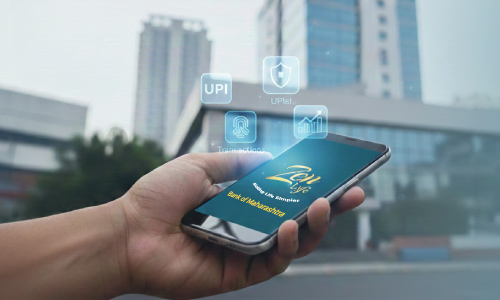
The Bank of Maharashtra Mobile Banking app simplifies financial management by offering a range of services at your fingertips. From fund transfers to bill payments, the app enables secure, real-time transactions, making banking accessible anytime, anywhere.
The mobile banking activation process is straightforward and user-friendly, ensuring customers can easily register and start using the app. With features like balance inquiry, mini statements and UPI integration, the Bank of Maharashtra Mobile Banking app ensures convenience and efficiency for all financial needs.
So, let’s take a deeper look at how to get started with Zen Lyfe.
Importance Of Having Mobile Banking
Mobile banking has transformed the way we handle money. Here’s why it’s essential:
- Accessibility: Use it anytime, anywhere without needing to visit a branch.
- Convenience: Fund transfers, bill payments, and balance checks straight from your smartphone.
- Time-saving: Say goodbye to queues and paperwork.
- Real-time Updates: Get instant transaction alerts.
- Security: Biometric login, two-factor authentication, and encryption ensure safe banking.
- Wide Range of Services: From loan applications to investment tracking.
- Eco-Friendly: Less reliance on paper processes contributes to a greener environment.
It’s a must-have tool for smart, efficient money management.
How Does The Bank Of Maharashtra Stand Out?
Bank of Maharashtra distinguishes itself with customer-first digital banking features:
- Comprehensive Digital Solutions: A simple and secure platform for online banking.
- Zen Lyfe App: Offers seamless access to transfers, bill payments, and account services.
- UPI Integration: Instantly transfer funds without sharing bank details.
- Instant Notifications: Stay updated on every transaction.
- Full Service Range: Covers loans, investments, balance checks, and more.
- Top-notch Security: Biometric login and encrypted transactions for safety.
- Reliable Support: Available via chat, phone, or branch for any assistance.
BoM, through Zen Lyfe, gives users control and peace of mind.
Step-by-Step Guide for BoM Mobile Banking Set-Up
Setting up Zen Lyfe is quick and easy. Here’s how:
- Download the Application:
- Search for “Zen Lyfe” on the Google Play Store or Apple App Store.
- Download and install the app on your phone.
- Registration:
- Open Zen Lyfe and tap on “Register”.
- Enter the mobile number registered with your Bank of Maharashtra account.
- Confirm using the OTP sent to your phone.
- Account Verification:
- Enter your account number or customer ID.
- Authenticate using your ATM/Debit card details or Net Banking credentials.
- Set MPIN:
- Create a secure 4-digit MPIN.
- Re-enter it to confirm and complete the setup.
- Activate and Explore Features:
- Log in with your MPIN.
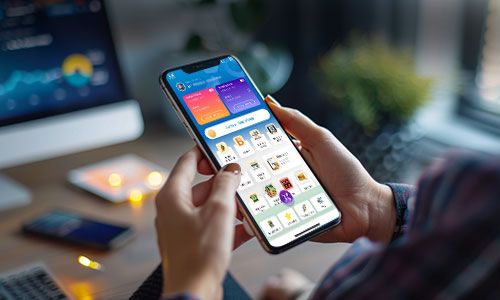
- You’ll now see your account dashboard and services available.
- Access:
- Fund transfers
- UPI payments
- Utility bill payments
- Mini statements
- Balance inquiries
- Loan services and more
Zen Lyfe makes managing your finances smooth, secure, and incredibly convenient
Conclusion
Mobile banking through Zen Lyfe offers unmatched ease, control, and flexibility. With everything from real-time updates to instant transactions, it’s the smarter way to manage money today. Setup is quick, use is simple, and the benefits are big.
For anyone living a digital-first lifestyle, Zen Lyfe is the perfect financial companion.
Author: Bank of Maharashtra
Date of Publish: 24 Jan, 2025








 Public Information
  Gallery
  Social Activity
  Assets for Sale
  Tenders
  ..
..