









 LOG-IN
  Important Links/Sites

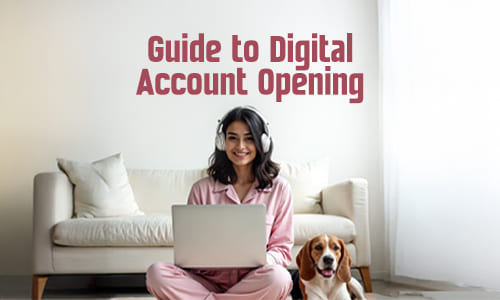
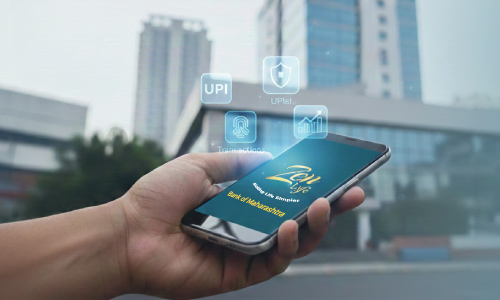
If you’re looking to start a bank account without stepping out of your home, digital banking has your back — and Zen Lyfe by Bank of Maharashtra makes it easier than ever. With Zen Lyfe, you can open your account instantly using Video KYC, meaning gone are the days of long queues and paperwork. In this blog, I walk you through each step to get your account up and running via the app.
What is Video KYC and why it matters
Video KYC (Video‑based Know Your Customer) is a method that allows banks to verify your identity through a live video call, rather than requiring you to visit a branch. Video KYC offers many advantages: no need to visit a branch or stand in queue, faster account opening and immediate access, and secure verification with live document display, facial matching, and geo‑tagged location to meet compliance standards.
What you need before you begin
Before starting the Video KYC process on Zen Lyfe, make sure you have the following ready:
- - A smartphone with a working camera and stable internet connection.
- Your original PAN card.
- A blank white paper and a blue/black pen.
- Aadhaar details linked with mobile number.
- A well‑lit quiet place with a clear background.
Step‑by‑Step: How to open account on Zen Lyfe with Video KYC
- Download and install Zen Lyfe App from the app store.
- Begin digital application and complete Aadhaar / eKYC verification.
- Choose Video KYC for full verification.
- Start the Video KYC call and grant camera/mic/location access.
- Live verification by the bank agent who captures video, documents and signature.
- Final approval and account activation. You'll receive account details via SMS/email.
What to keep in mind — tips for smooth Video KYC
- Ensure your Aadhaar-linked mobile number is active.
- Choose a well-lit and quiet place.
- Keep PAN and blank sheet ready.
- Maintain stable internet.
- Use only the official Zen Lyfe app.
Why Zen Lyfe with Video KYC is a game changer
Zen Lyfe combines modern banking conveniences with simplicity and speed. Users can open a bank account from home in just minutes — saving time, ensuring compliance, and offering full access to banking features through a secure and intuitive interface.
Conclusion — open with ease, bank with confidence
Opening an account no longer needs you to step outside. With Zen Lyfe’s Video KYC, you can complete onboarding from your phone, without compromising on security or compliance. As more people adopt digital banking, Video KYC offers a simple, secure, and instant way to get started. Bank of Maharashtra, through Zen Lyfe, empowers every customer to manage their money on their own terms.
FAQs
1. Can I schedule the Video KYC at a later time if I’m not available immediately?
Yes, Zen Lyfe allows you to schedule your Video KYC at your convenience. If you’re unable to complete it in one go, the app gives you the option to choose a time slot or restart the process later, ensuring you aren’t rushed.
2. What happens if my Video KYC call gets disconnected or fails?
In case of disconnection or any technical glitch during the Video KYC call, you can simply retry from the app. The system securely stores your progress, and you will be guided to reinitiate the verification without starting from scratch.
3. Is my data and video interaction during KYC stored securely?
Absolutely. The Zen Lyfe app complies with RBI’s guidelines on Video KYC, ensuring that all your personal data, recorded video, and documents are encrypted and stored securely. The entire process is monitored for security and compliance, giving you complete peace of mind.
Author: Bank of Maharashtra
Date of Publish: 24 Dec, 2025









 Public Information
  Gallery
  Social Activity
  Assets for Sale
  Tenders
  ..
..